


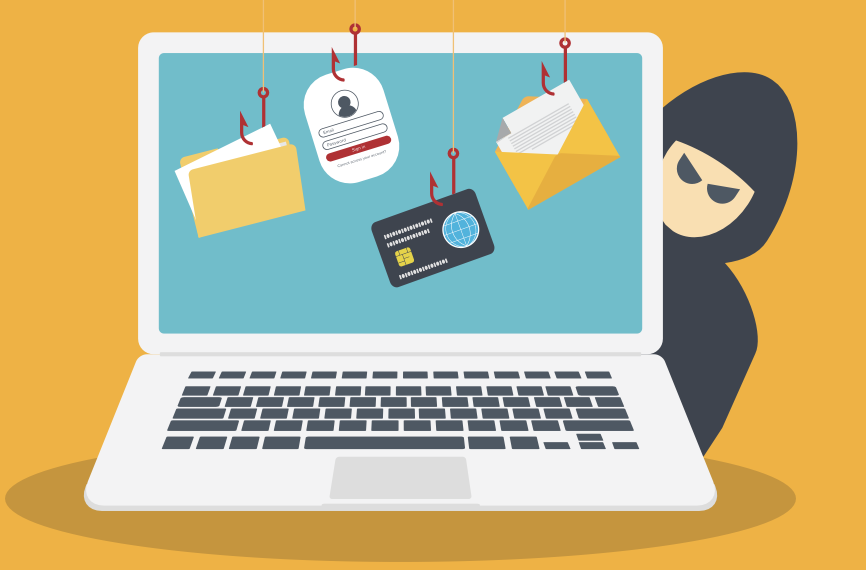
Find out how to avoid becoming a victim—before it’s too late
By Olev Edur
The bad news is that seniors are a prime target for all sorts of criminals and scam artists, especially online.
That’s largely because seniors are seen as overly trusting and caring, many have significant assets, and most are still unfamiliar with our increasingly digitized world and all the perils lurking therein. As a result, the media are rife with tales of seniors who lost their life savings because they believed what they read on the Internet or were told over the phone.
The good news, however, is that there are many ways to avoid becoming a victim and many sources of help and information on what you can do to protect yourself.
First and foremost, though, you must learn to be extremely protective of not only your financial information but also your personal information. Little tidbits such as your address, social insurance number, and driver’s licence number, the names of family members, and even photographs can be woven together and used to impersonate you or your loved ones in fraudulent endeavours, whether directed at you personally or at institutions such as banks.
“We’re in a highly connected world with a large number of different devices, and these threats aren’t limited to certain devices, be they phones, computers, tablets, or other smart products,” says Ryan Ku, the director of financial crimes at the Canadian Bankers Association (CBA) in Ottawa. He adds that even the home telephone has become an instrument of fraud.
Telephone Scams
It’s become routine, for example, for scammers to call seniors pretending to be a relative in trouble and in need of immediate financial assistance.
Typically, they say they have been arrested or in an accident and need money and then provide phone numbers for verification—supposedly lawyers or police officers but actually accomplices who pump them for personal information and issue threats of further trouble if they don’t send money immediately. And it must be sent via an untraceable wire service that allows the money to be retrieved from anywhere in the world.
Other favourites include “salesmen” from companies offering bargain prices on some “clearance” product or ersatz bank officials saying that your accounts have been jeopardized: you’re asked to provide banking information and/or execute transactions to capture the supposed criminals.
In all cases, you should be aware that police or other officials, legal or corporate, will never call you asking for money to be sent by any means or for personal information such as bank passwords. If you do get one of these calls, hang up and call a relative to confirm the whereabouts of the family member or call the bank or company in question before doing anything; never send money or give out security details.
Better still, avoid temptation altogether. “Don’t pick up phone calls if you don’t know who is calling,” Ku advises. “If you do answer and it’s someone posing as a bank employee or other official, hang up and call the official number and confirm that the person is indeed legitimate. And never send money through money wire services to anyone you don’t know personally and haven’t verified through other means.”
Christine Ménard is the director of the national public-awareness campaign Get Cyber Safe in Ottawa. “We have a ‘decision tree’ that takes you through a series of questions to ask yourself in response to these types of calls,” she says. “If the caller purports to be from a bank, for example, the first question would be ‘Do I even have an account with this particular bank?’ The basic idea is to make you take time to think, rather than reacting right away to the urgent tone of the message.”
Email-Based Scams
There are many ways you can end up being victimized online. For example, any email you receive could be spam if it comes from a sender you don’t know, isn’t specifically addressed to you, or promises you some benefit. Be wary of replying, even just to “unsubscribe,” because at the very least, that will give a scammer confirmation that they have reached a live account.
Sometimes scammers use subterfuge to try to get you to install malicious software—also referred to as malware, spyware, key loggers, Trojan horses, or Trojans—in your devices so that they can gain access to files or personal details such as passwords.
They’ll use a wide range of tricks to get you to click on a link or pop-up message in a spam email or visit a fake website set up solely to infect people’s computers.
“Always look carefully at the address of the email or website page,” Ménard says. “Does it match that of the actual organization? It cannot be exactly the same (all email addresses must be unique) but will likely be quite similar. Be especially cautious if the message says action is urgently required. Take the time to ask yourself ‘Do I really need to do this?’” Ku adds that you should be wary of downloading any free apps or software, especially from unfamiliar sources. “You should install apps or software only from sources that you recognize,” he says. “Review the apps you do have regularly, too, and delete any that are no longer needed, because there may be malicious pieces in them.”
Be sure to keep an eye on your bank accounts. “The banks use very sophisticated technology to monitor account transactions for unusual activity and detect fraud,” Ku says. “Nevertheless, people should review their account transactions regularly and report any irregularities to the bank right away. You should also file a police report and notify the Canadian Anti-Fraud Centre.”
Social Media: Too Much Information
For scam artists, one of the leading sources of personal and other information is social media. Both Ku and Ménard suggest that people are far too careless about the way they handle information on these platforms.
“People often share far too much information on these sites and leave their privacy settings too open,” Ménard says. “Usually the default settings on these sites are far too loose. On Facebook, for example, anyone can see all the people who are your friends, so they’ll ‘spoof’ one of those people—they’ll copy the photo and use the same name for another account and then use that account to access all that friend’s friends, trying to get personal or financial information about them. That’s just one example of how criminals can abuse social media information.”
There are ways to go into these sites and rein in the amount of information that’s openly available. “Take the time to review all your privacy settings,” Ménard advises. “Review your friends, too, and make sure you know them all.”
Ku agrees: “You should strengthen your accounts’ privacy and security settings. Accept friend requests only from people you know, and periodically check the list to make sure everyone who’s there should be there.”
Beyond that, be very guarded about any information you put into social media posts. If you’re going on vacation, for example, don’t post any pictures or details until you’ve re- turned home. If you want someone to know about your plans, phone them or send them an email rather than broadcasting your intentions to everyone.
Safeguarding Your Devices
In addition to exercising care when it comes to social media and unfamiliar emails, you need to safeguard your devices themselves because hackers are continually searching for ways to attack them. “You should install antivirus or anti-malware apps on all your devices,” Ku says. “And make sure you install updates as soon as they’re available because they provide protection against the latest threats. You can update them manually, but usually it can be done automatically—just check the box when you get a notice and the software will update in the background without you having to do anything.
“Make sure to use strong and unique passwords for every bank account you have,” Ku adds. “If you have an account at a second bank, don’t use the same password as for the first bank. Otherwise, if someone manages to crack the first password, they’ll have access to both accounts.”
The same applies to any other online accounts you may have, such as for stores. “You should use different passwords for every account because of what’s known as ‘credit stuffing,’” Ménard says. “What happens is that if there’s a data breach at one store— and these breaches do happen—then your credit and personal information can be compromised. Usually the breach is fixed and customers are notified right away, so little harm is done. However, the stolen information becomes available to other criminals who see the password and say ‘Let’s try it for some other store accounts.’ They ‘stuff’ the password into all your different accounts, and if they’re all the same, crooks can access all those accounts, too. Even if you have an account where you don’t use your credit card, so you think it doesn’t matter, keep in mind that if the same password is used for other stores, they can be accessed, too. So it’s important to use different passwords for every account.”
Of course, keeping track of all these different and complicated pass- words becomes a chore, so a password manager is essential. Most web browsers have their own password managers, but the problem here is that if someone gets into your device, they can probably access your password manager, too. “That’s why we recommend that you use a password manager from a different company [i.e., not one from the device’s manufacturer], one that can be protected by its own password,” Ménard says. Staying Safe When Travelling Precautions can be particularly important when you’re travelling be- cause you may be relying on free Wi-Fi along the way.
“It’s always tempting to use public Wi-Fi in airports or hotels—after all, it’s free and it’s easy,” Ménard acknowledges. “But you never know whether criminals have logged in and set up codes to extract your financial or personal information. If you use your credit card to book a room, for example, they could get all your billing information.
We recommend that you use a virtual private network (VPN) when you’re travelling. A VPN creates a secure encrypted tunnel from one end to the other, although there may be a problem with banks not recognizing the source. One way around this is to use multi-factor identification (MFI) through a different channel such as text or email. Another way is by activating the VPN and using it to ensure that the connections work before you travel. But absolutely, VPN is valuable when you’re travelling. Yet another alternative if you have a cellphone would be to use your wireless provider’s cellular data, which is secure. But then you have to deal with the high roaming charges imposed by Canadian wireless providers.”
The Advent of AI-Based Scams
Finally, there have been many reports in the media about the additional threats posed by artificial intelligence (AI), which has the potential to make scamming much more effective. For example, Malwarebytes LABS, a cybersecurity firm based in Santa Clara, Calif., recently cited the results of a study using AI in experimental scam messages, which found that the “click-through rate” (a measure of how many recipients actually respond to a message) was 54 per cent—four and a half times the normal response to such missives.
“It’s something we’ll be starting to talk about, because it can make all forms of fraud more sophisticated,” Ménard says. “For example, we’ve been telling people to look carefully at the wording of any suspicious messages or calls they receive, because these scams can originate in any country and often contain grammar faults or awkward language. But AI enables scammers to reproduce the language more naturally. And AI helps scammers to create and reproduce customized text automatically.”
Nevertheless, at press time there seemed to be little evidence of AI’s widespread use. “Current trends haven’t seen AI as being a widespread issue,” Ku says, but he adds that the CBA and others are closely monitoring the situation.